
Check warehouse photos before packing
Decide whether the received item matches the order while a correction or return may still be possible.
What is QC?
QC means checking the item received at the warehouse against the order. Photos can show a wrong colour, size label, missing part or visible damage. They cannot prove how a fabric feels, authenticate a product or establish long-term durability.
Check the photo service included with your current order and any charge for extra views or measurements. This guide does not state a fixed number of free photos. Ask for the view that answers your question before authorising international dispatch.
How to check your QC photos
- Open the order and its photos together. Match colour, variant, size label and quantity.
- Look at the visible seams, fastenings and surface condition. Enlarge a photo before judging a small detail.
- If fit depends on one measurement, request that measurement with its start and end points.
- If a defect or mismatch is visible, ask the agent about the seller’s return window before authorising dispatch.
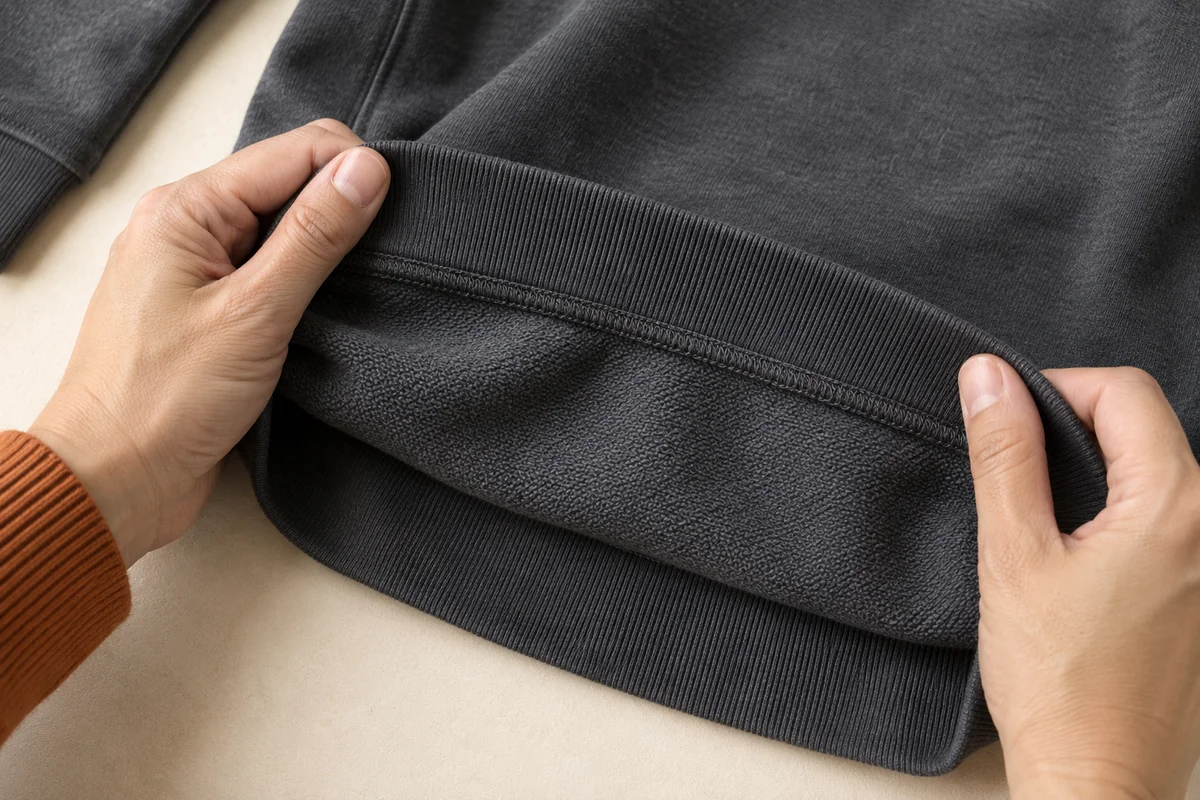
Ask for a photograph that answers a question
Instead of “more QC”, write “Please show the zipper fully closed” or “Please photograph both shoe size labels”. If the image is too dark or the relevant area is outside the frame, request a clearer view.
QC means a visible quality check. “GL” is a shopper’s shorthand for accepting what they can see; “RL” means they want to reject or investigate it. These labels do not authenticate a product or test durability.
Choose packing after accepting the item
Keep packaging that protects an item or is part of what you bought. If a shoe box is not needed, ask what removing it changes in the packed size. Do not request removal until you are satisfied with the item and have considered any return consequences.
Mark unresolved items as on hold. Only accepted, route-compatible items should go into the shipping request. Next: compare one parcel with two.