
Turn a product find into an order
Keep the seller link, the selected option and the measurement that decides whether the item works for you.
How to use Basetao Spreadsheet
Search a product type or open a category. Open the product card, then its original seller listing. Check that the listing still shows the same item and that your required option is available.
Compare two candidates by their actual specification and total buying cost. A familiar cover photo can be reused across sellers; it does not establish which seller will send the item.
How to choose a product that fits
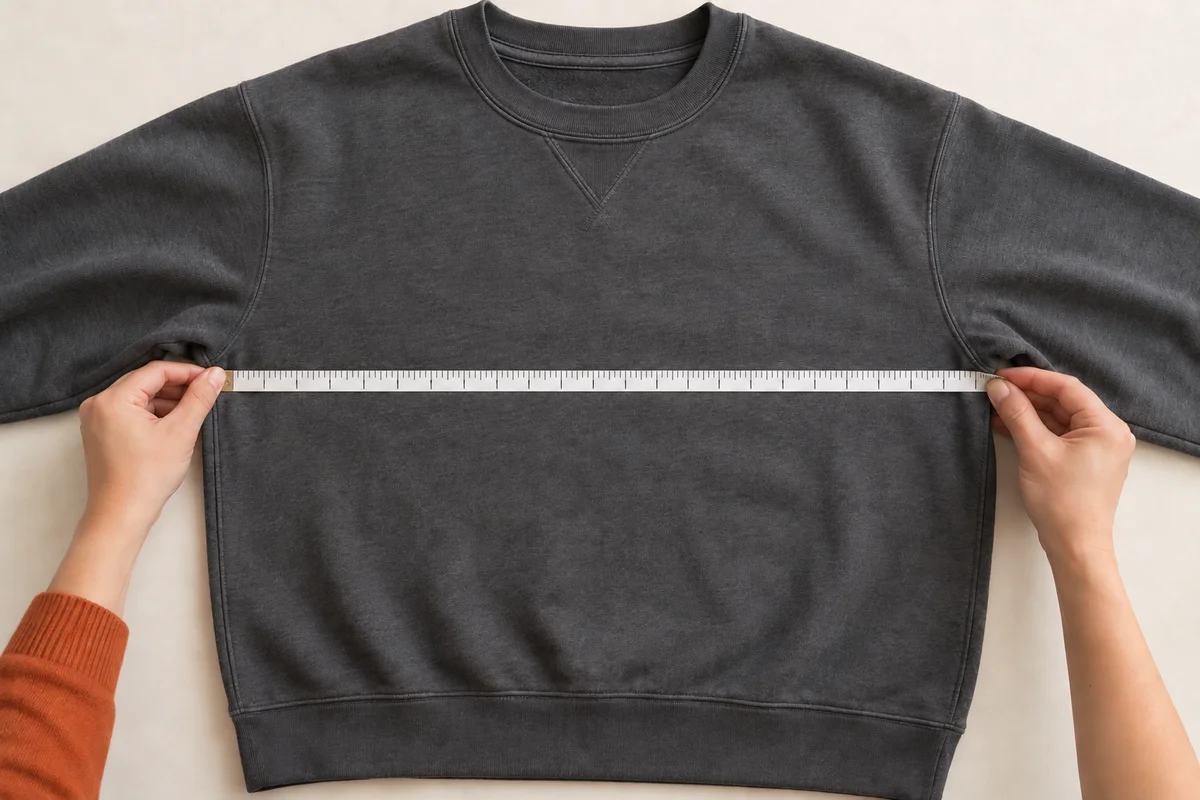
For a jacket, measure a jacket that fits you and compare chest width, length and sleeve length with the listing’s chart. Note whether the chart uses body measurements or garment measurements. If the method is unclear, ask the seller or agent before choosing.
For bags and accessories, check dimensions, material, included parts and the exact colour option. Save a screenshot of the selected option in case the seller changes the page.
Shopping precautions: keep the exact order details
Example: “Original listing URL; black jacket; size M; quantity 1. Please photograph the size label and measure the chest laid flat before shipping.” Replace every detail with your own choice.
Do not put passwords or payment information in this note. Its purpose is to let the agent identify the item and the check you need.
How to choose a useful Spreadsheet
A useful catalogue takes you to a specific product and a working seller link. Prefer clear category names, visible corrections and honest source dates. A long list of products is less useful if the links are dead or different colours are presented as the same variant.
This guide keeps browsing separate from payment and carries the same item details into QC and shipping. Next: submit the item to Basetao.
Source URL:
Item name:
Exact variant:
Quantity:
Visible specification:
Inspection request:
Unanswered question:
Acceptable fallback:
Parcel note: